
Visual controls generate perfect spacing scales automatically.
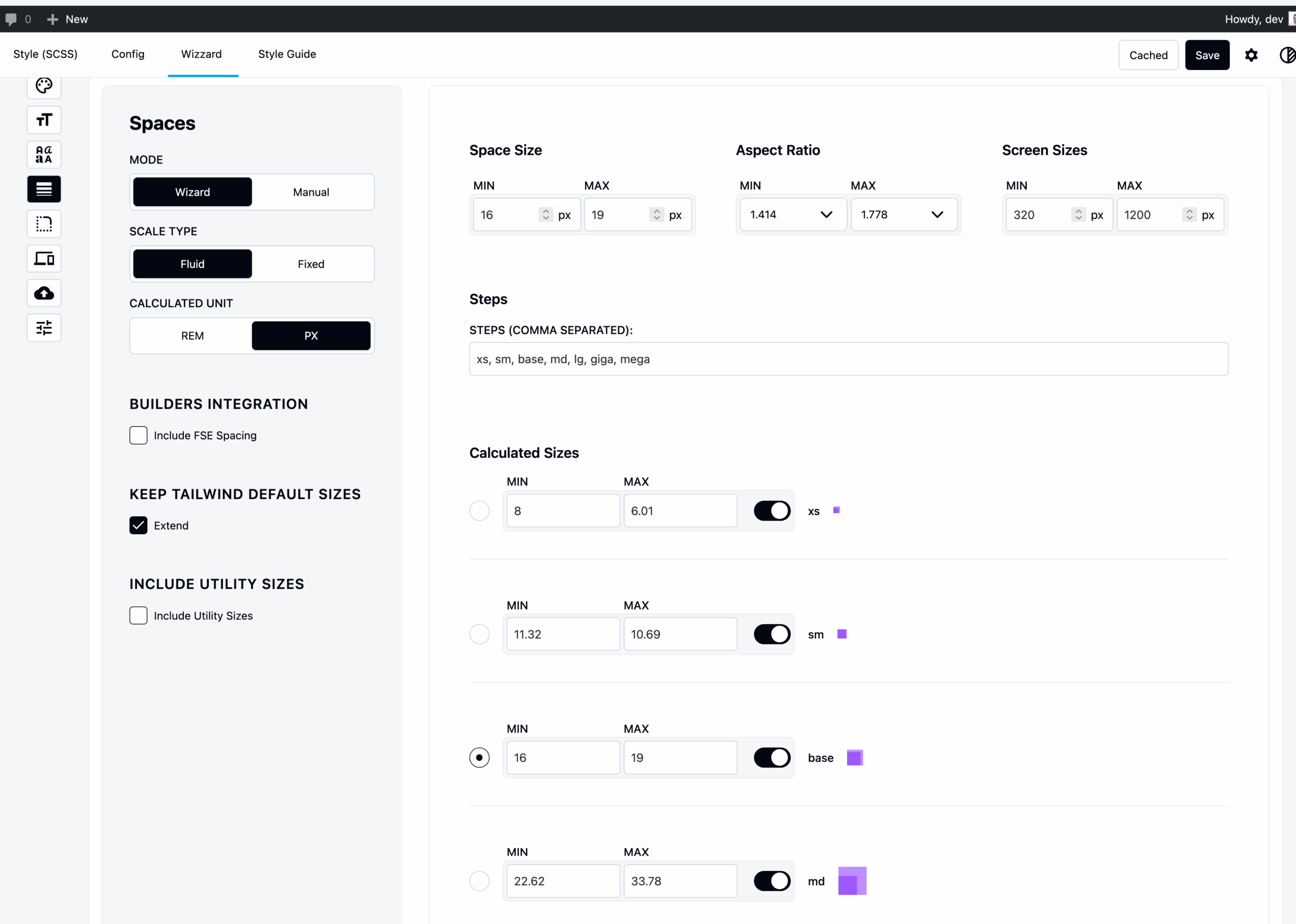
Structure Overview
Spacing follows the same structure as Font Sizes:
- Wizard Mode – Auto-calculated with aspect ratios, min/max values, steps
- Manual Mode – Per-step control with comma-separated names
- Fluid vs Fixed – Viewport scaling or single value
- Pixels vs Rems – Figma-compatible input, accessible output
- Extend Defaults – Add to or replace Tailwind defaults
Key Differences from Font Sizes
1. Utility Values
Click “Add Utility Spacing” → Adds:
0– Zero spacing (no margin/padding)px– 1px spacing (for borders)auto– Auto spacing (for centering)
Use cases:
<div class="m-0">No margin</div>
<div class="m-auto">Centered with auto margin</div>
<div class="border-px">1px border</div>
2. Builder Integration
Note: Most visual builders don’t have spacing systems to import (unlike font sizes).
You cannot fetch spacing from Gutenberg/Bricks/Oxygen. Define your spacing scale manually.
3. Usage Examples
Padding:
<div class="p-4">Padding all sides</div>
<div class="px-8 py-4">Horizontal 8, Vertical 4</div>
Margin:
<div class="m-4">Margin all sides</div>
<div class="mt-8 mb-4">Top 8, Bottom 4</div>
Gap (Flexbox/Grid):
<div class="flex gap-4">Flex with gap</div>
<div class="grid gap-8">Grid with gap</div>
Space Between:
<div class="space-y-4">Vertical spacing between children</div>
Common Spacing Patterns
Example Scale (9 steps, base at step 4):
Step 1: base / ratio³ = 8.19px   (1)
Step 2: base / ratio² = 10.24px  (2)
Step 3: base / ratio  = 12.8px   (4)
Step 4: base         = 16px      ← BASE (8)
Step 5: base × ratio  = 20px     (16)
Step 6: base × ratio² = 25px     (32)
...
Generated Output:
@theme {
  --spacing-1: clamp(0.25rem, 0.231rem + 0.094vw, 0.313rem);
  --spacing-2: clamp(0.5rem, 0.463rem + 0.188vw, 0.625rem);
  --spacing-4: clamp(1rem, 0.925rem + 0.375vw, 1.25rem);
  --spacing-8: clamp(2rem, 1.85rem + 0.75vw, 2.5rem);
  --spacing-16: clamp(4rem, 3.7rem + 1.5vw, 5rem);
}
Recommended Aspect Ratios
- 1.2 (Minor Third) – Tight, balanced
- 1.25 (Major Third) – Moderate jumps, recommended
- 1.333 (Perfect Fourth) – Larger gaps
- 1.5 (Perfect Fifth) – Dramatic spacing