
Autocomplete
This feature is disabled. By default. You will need to enable it per builder.
Top bar > Settings > Enable Autocomplete > Builder
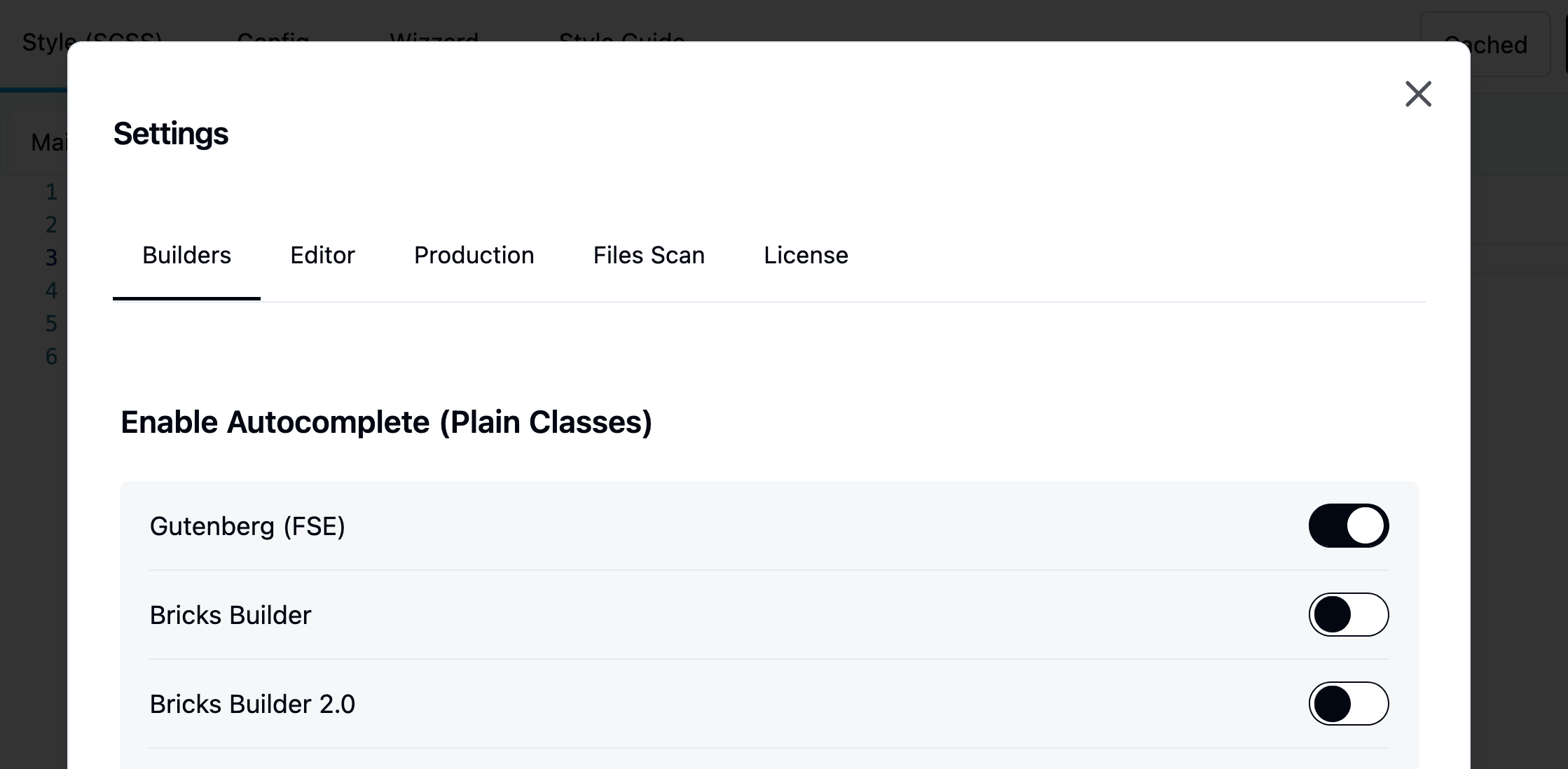
Learn more about autocomplete
Autocomplete Location
The Plain Classes field is located at the top of the left sidebar. It becomes visible once you select an element inside the Bricks iframe or from the list tree.
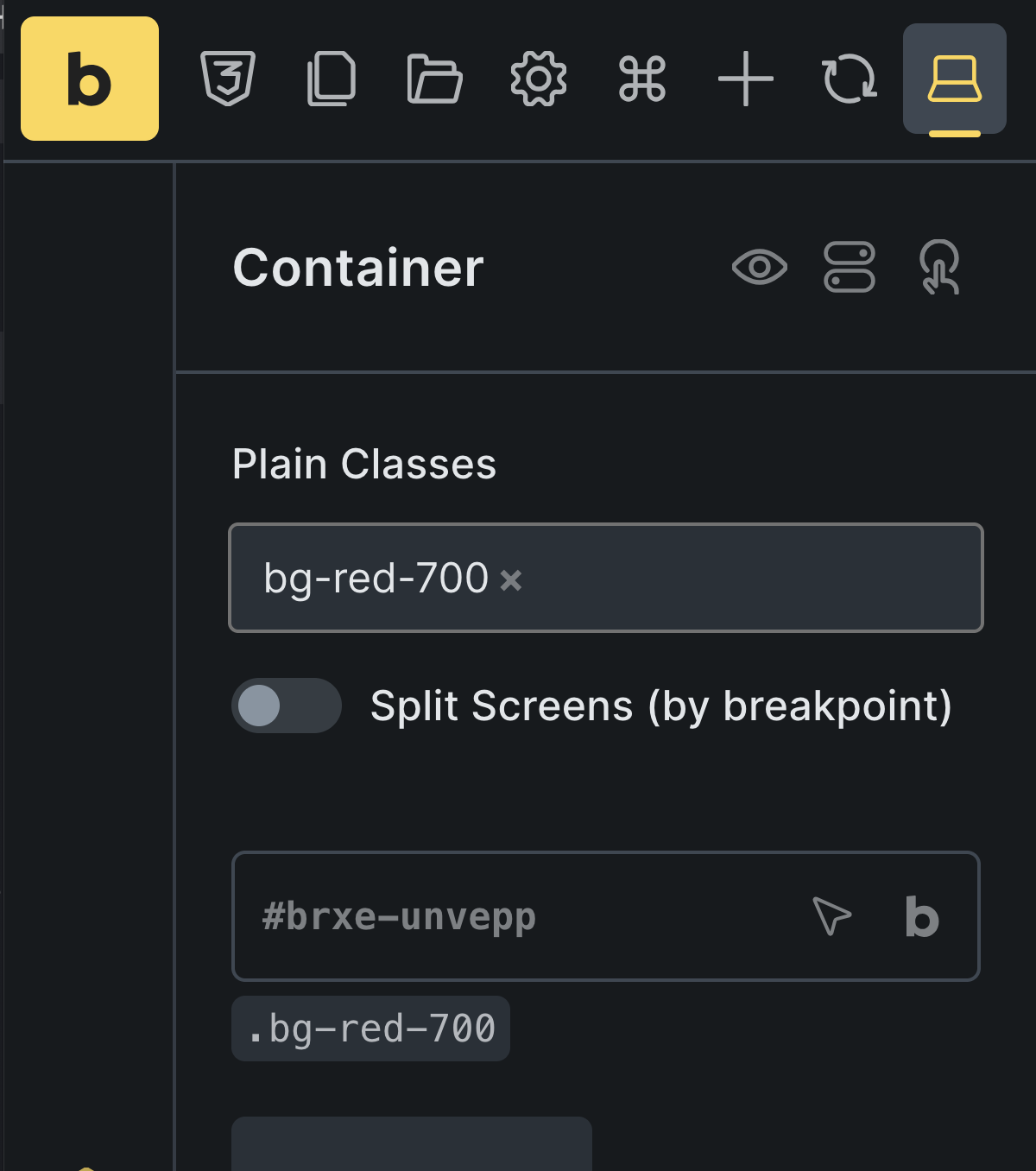
Jump straight to an element's classes
Hold ⌥ Option (Alt on Windows) and click an element in the Bricks canvas. The element is selected and the caret lands at the end of its Winden Classes field, ready to type. A plain click works as before and keeps the caret in the canvas.
Compile on post save
With the Builders integration, we also implemented automatic compile-on-post-save. You no longer need to open Winden manually to recompile your CSS. Whenever a post is saved, a signal is sent to Winden, which scans all classes used in the post and regenerates output.css automatically. This happens even with "Disable Dev Mode" turned on — that setting only controls whether logged-in visitors get the live compiler on the frontend. The builder editor itself always keeps the compiler and autocomplete available. If a change happens outside this editor — content saved elsewhere, a menu or widget update, a scheduled post going live — Winden compiles it the next time you open a builder editor or the Winden admin, or the next time an admin views the page on the frontend.
Deregister styles
if you want to remove all bricks styles and start fresh with Tailwind only you have option to remove Bricks builders styles.
Navigate to the Settings > Dequeue Styles > Bricks builder
Design tokens as Bricks Global Variables (Bricks 2.0)
In Bricks 2.0, the design tokens you set in the Winden Wizard (colours, font sizes, spacing and so on) also appear in Bricks's Global Variables, so you can use them in Bricks's own style controls, not only as Tailwind classes.
- Winden adds the variables while it is active. It doesn't write them into the Bricks settings in the database, so deactivating Winden leaves your Bricks settings untouched.
- Winden merges its variables with the ones you created in Bricks; it doesn't replace yours.
- Change a token in the Wizard and the Bricks variable follows on the next page load.