
Fields (also called Attributes) are the editable options that appear in the Gutenberg Editor sidebar when someone uses your block.
For example, if you create a “Testimonial” block, you might want these fields:
- Author name (text field)
- Quote text (textarea)
- Show photo (on/off toggle)
- Star rating (slider from 1-5)
When users insert your block into a page, they’ll see these fields in the sidebar and can edit them. The values they enter are automatically saved and available in your block’s PHP render code.
The Attributes Manager is where you create these fields using a simple visual interface – no JSON editing required.
How It Works
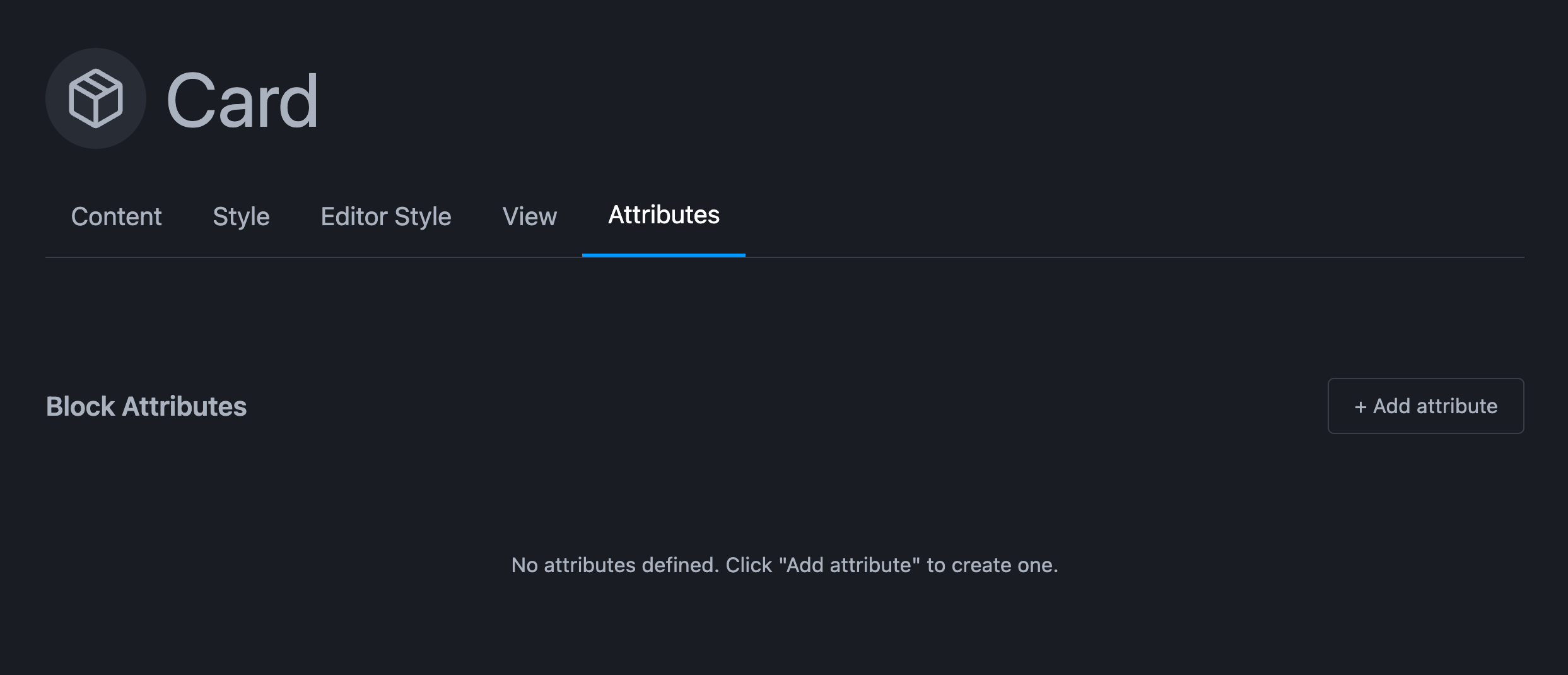
- Open the Attributes tab in the FanCoolo editor
- Click “+ Add attribute” to create a new field
- Choose the Type (Text, Number, Toggle, etc.) from dropdown
- Enter the Attribute name (e.g., “authorName”, “quoteText”, “showPhoto”)
- FanCoolo automatically generates
block.jsonwith your attributes - Your block appears in Gutenberg with these fields in the sidebar
- Users edit the fields → WordPress saves the data
- Your PHP code accesses the data via
$attributes - Copy the PHP example shown below each attribute to use it in your code
Adding an Attribute
- Click “+ Add attribute” button
- Select Type from dropdown
- Enter Attribute name (use camelCase like “authorName”)
- For Select/Radio: Click “+ Add Option” to add choices
- For Range: Set Max value
- Copy the PHP code example shown below the attribute
- Paste it into your PHP render code to use the field
Using Fields in Your Code
Step 1: Create Field in Attributes Manager
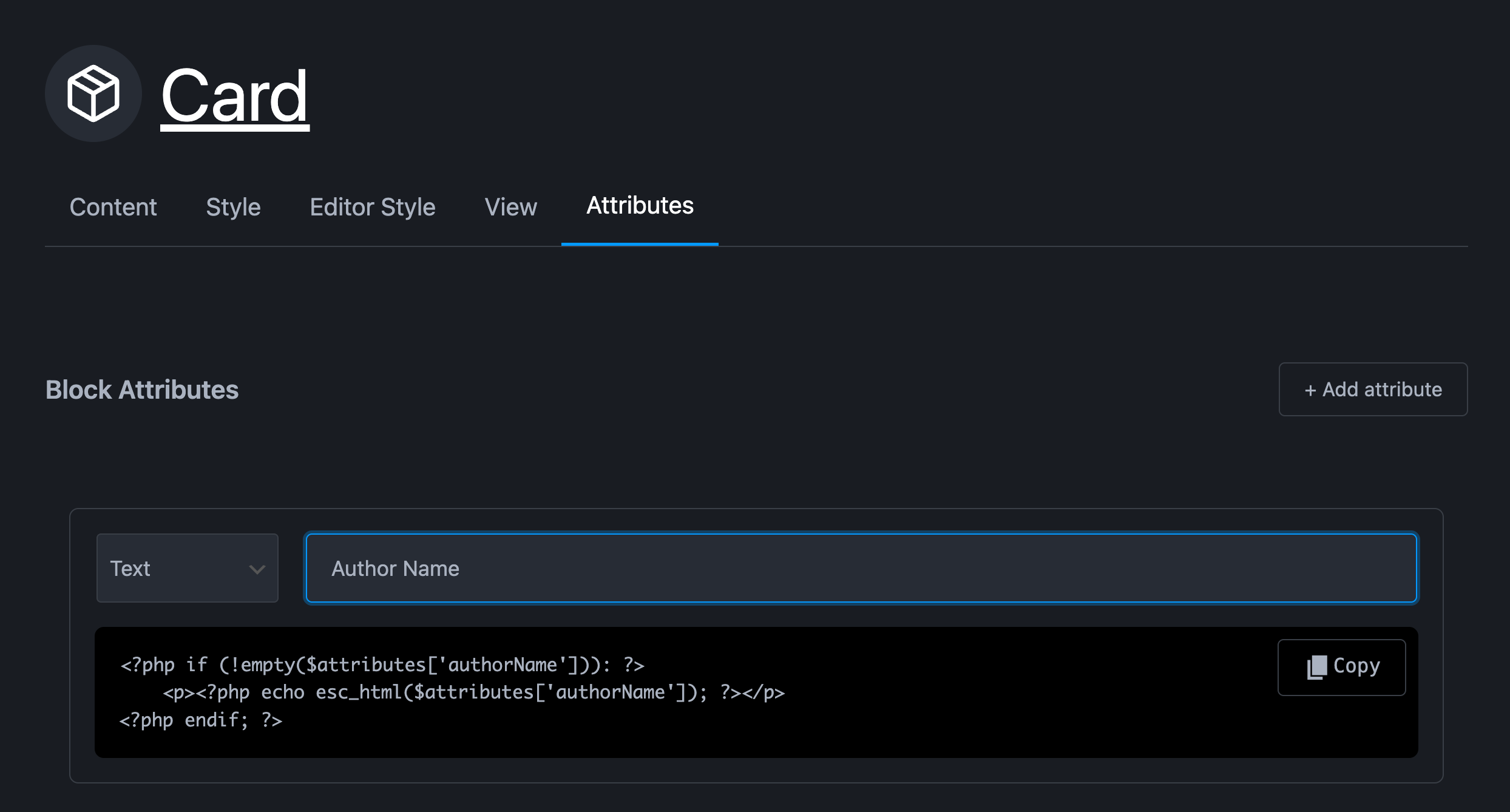
In FanCoolo, add a “Text” attribute named “Author name”. Fields names will be converted to “camelCase” that is a standard for php variables and functions.
Once you type them name you will automatically get php example that you can copy paste to the “Content tab”
Step 2: Copy the PHP Example
Below each attribute, you’ll see a PHP code example like:
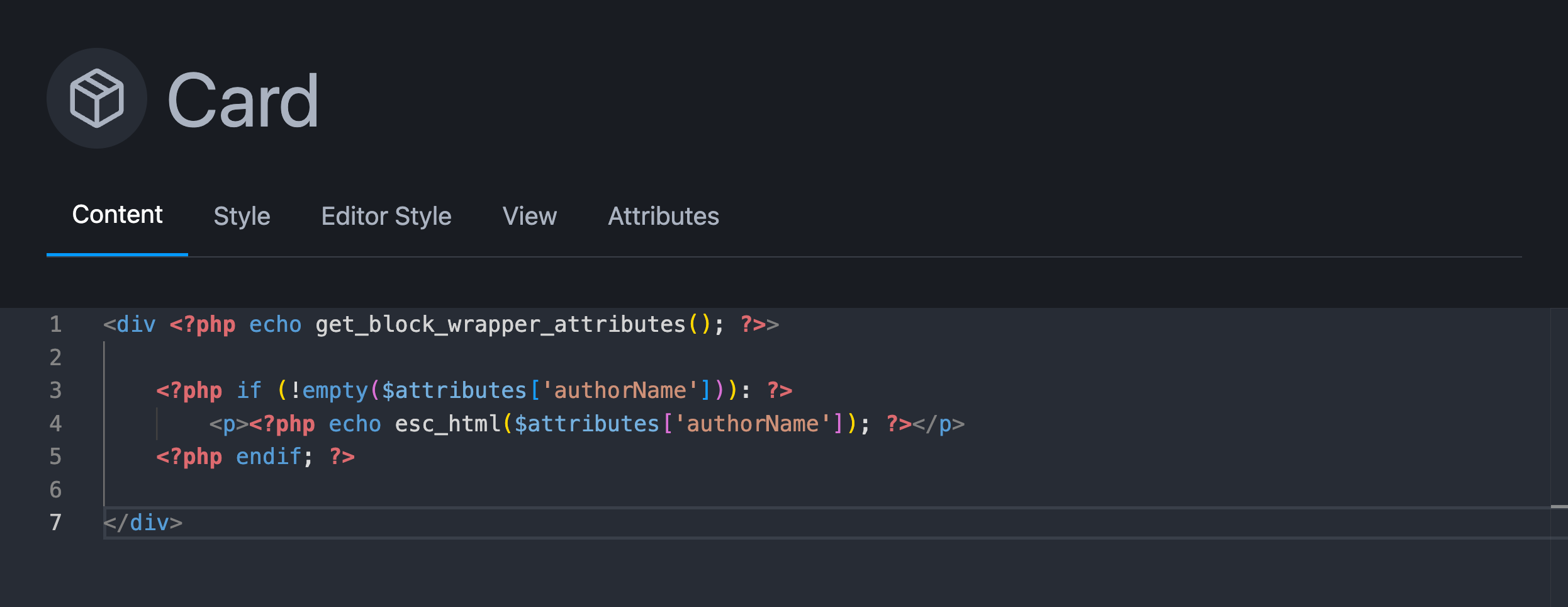
Step 3: Paste in Your Render Code
Use it in your block’s PHP template:
Available Field Types
| Type | Gutenberg UI | Best For | Example |
|---|---|---|---|
| **Text** | Text input | Short text | Author name, title, label |
| **Textarea** | Multi-line box | Long text | Quote, description, content |
| **Number** | Number spinner | Numbers | Count, width, quantity |
| **Range** | Slider | Numbers with limits | Rating (1-5), opacity (0-100) |
| **Date** | Date picker | Dates | Event date, deadline |
| **Image** | Media button | Images | Author photo, background |
| **Link** | URL input | URLs | Button link, website URL |
| **Color** | Color picker | Colors | Background, text color |
| **Select** | Dropdown | Single choice from list | Size (S/M/L), alignment |
| **Toggle** | On/off switch | Enable/disable | Show author, enable feature |
| **Checkbox** | Checkbox | True/false | Accept terms, featured |
| **Radio** | Radio buttons | Single choice (visual) | Layout style, theme |