
Font Hero lets you import fonts from Google’s library of 1,500+ free fonts. Unlike linking to Google’s servers, Font Hero downloads the font files and hosts them locally on your site. This is better for privacy (GDPR compliance) and performance.
How to Import a Google Font
- Go to Font Hero > Fonts
- Click Add Font
- Choose Google Font
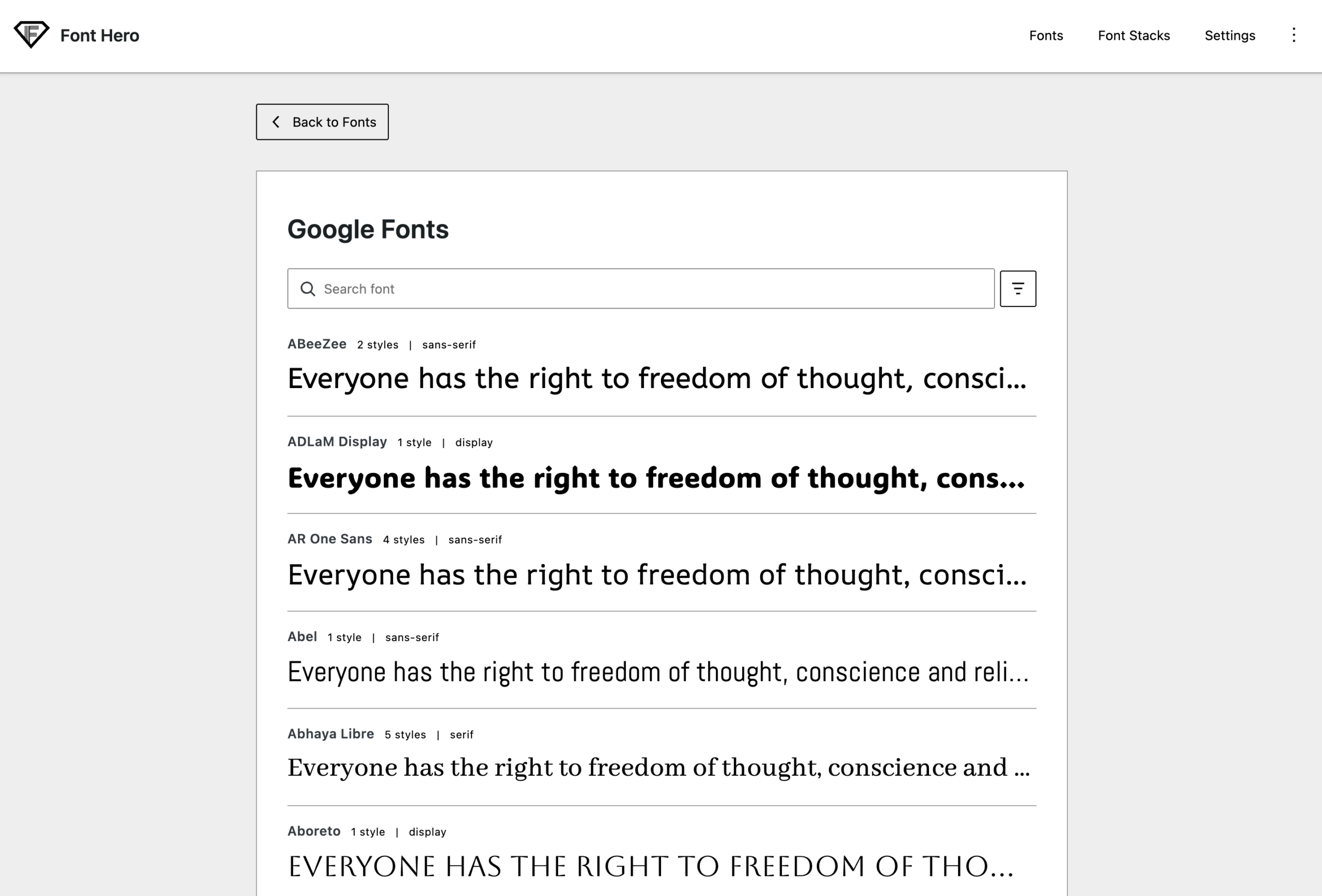
- Browse or search for the font you want
- Click the font to open its import options
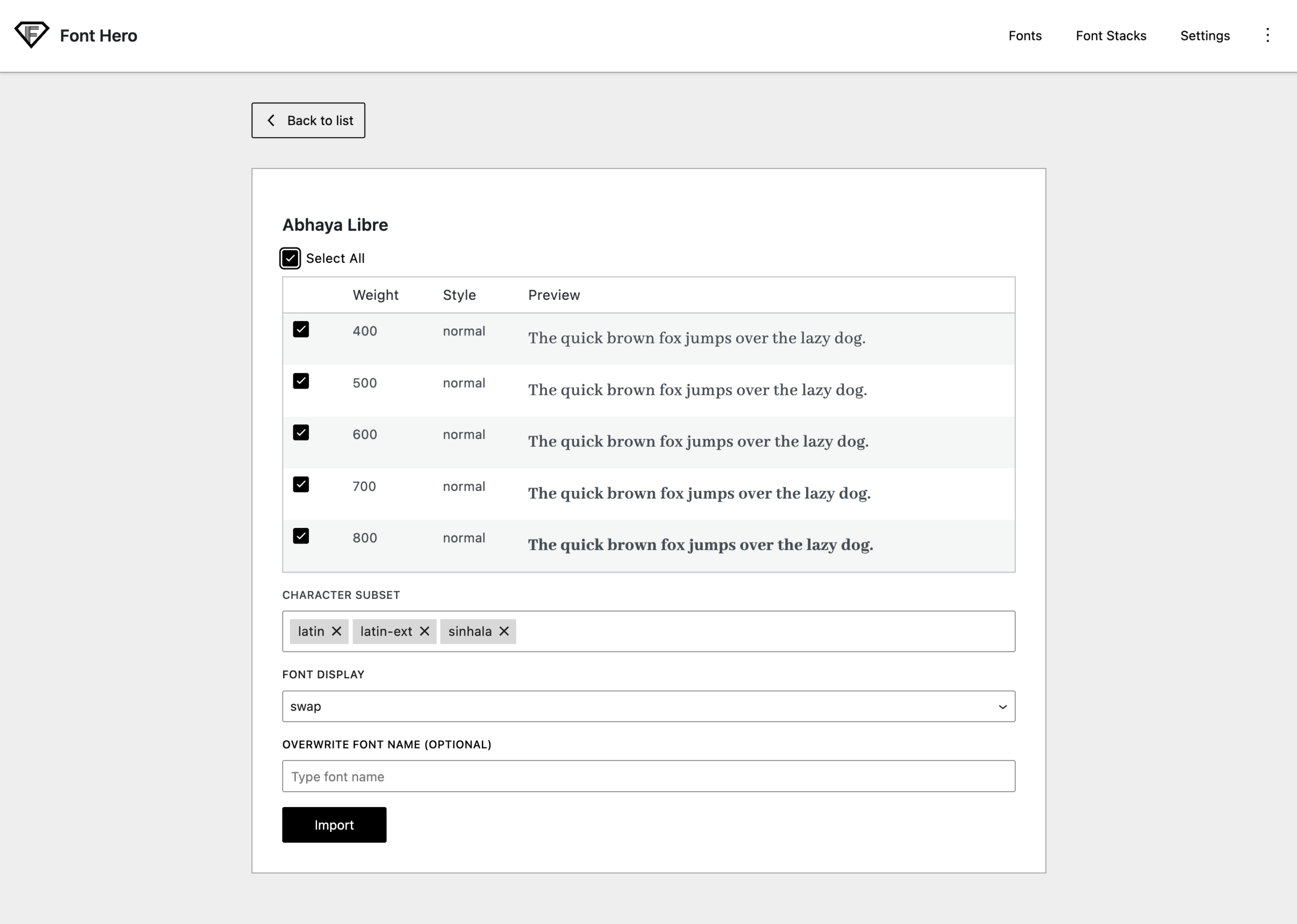
- Select the variants you need (Regular, Bold, Italic, etc.)
- Select the subsets you need (Latin, Cyrillic, Greek, etc.)
- Choose your preferred font display setting
- (Optional) Enter a custom font name if you want to store it under a different label in Font Hero
- Click Import
Font Hero will download the font files from Google, save them to your server, and register the font — ready to use.
Choosing Variants
A variant is a specific weight and style combination. Common variants:
| Variant | What It’s For |
|---|---|
| 400 (Regular) | Body text |
| 400 Italic | Emphasized body text |
| 600 (Semi-Bold) | Subheadings |
| 700 (Bold) | Headings, strong emphasis |
Choosing Subsets
A subset is a group of characters for a specific language or script. Google Fonts typically offer:
| Subset | Characters Included |
|---|---|
| **Latin** | English, French, German, Spanish, Portuguese, and most Western European languages |
| **Latin Extended** | Additional characters for Central/Eastern European languages |
| **Cyrillic** | Russian, Ukrainian, Bulgarian, and other Slavic languages |
| **Greek** | Greek language characters |
| **Vietnamese** | Vietnamese language characters |
Important: Always select at least the Latin subset. If your site uses multiple languages, select all the subsets you need.
What Happens After Import
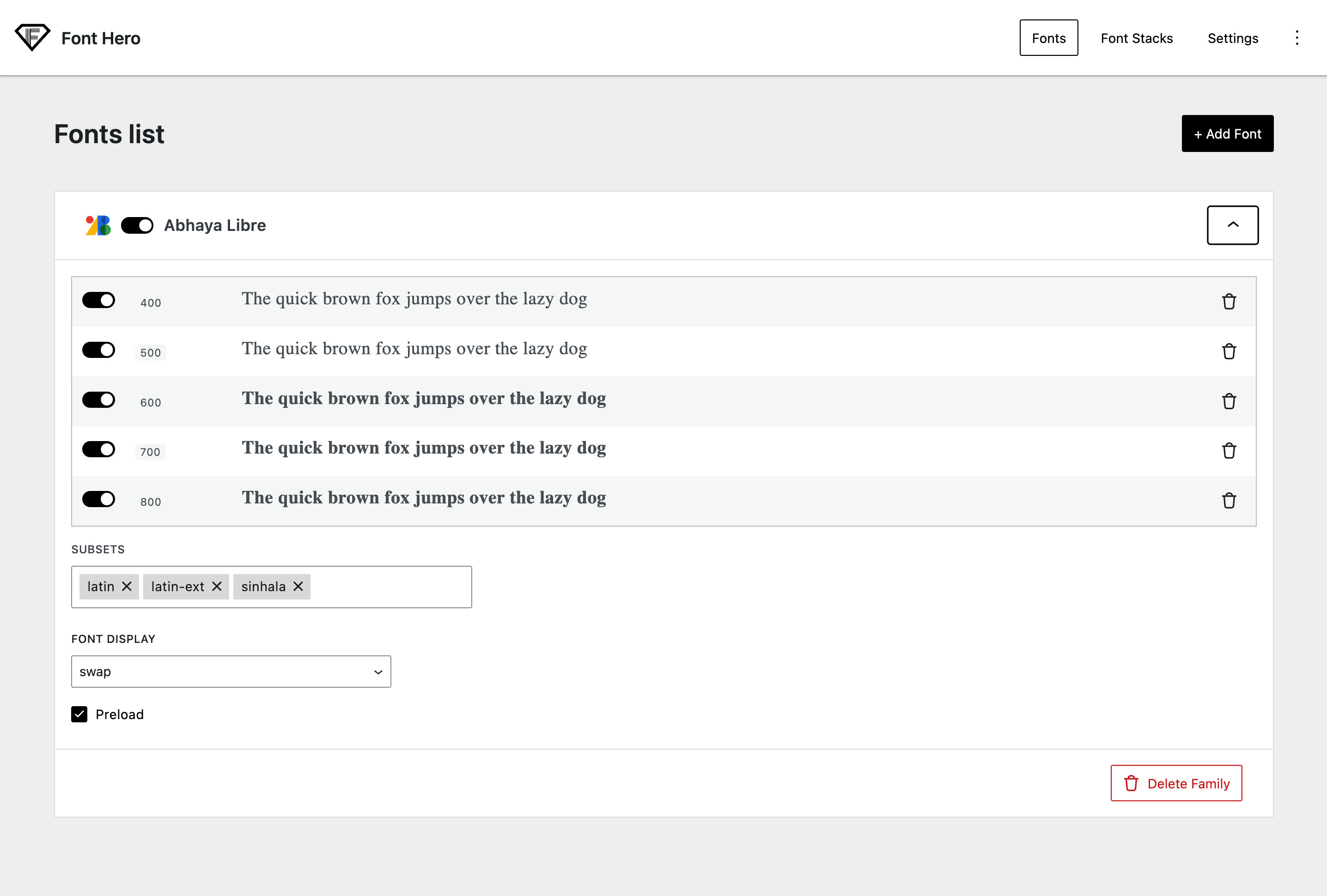
Once imported, the Google Font appears in your Fonts tab and behaves like a managed Font Hero font family. You can:
- Enable/disable weights/styles
- Enable/disable subsets (when applicable)
- Set font display behavior
- Enable preloading
The font files are stored locally at:
/wp-content/uploads/font-hero/google-fonts/font-name/
Filtering and Browsing
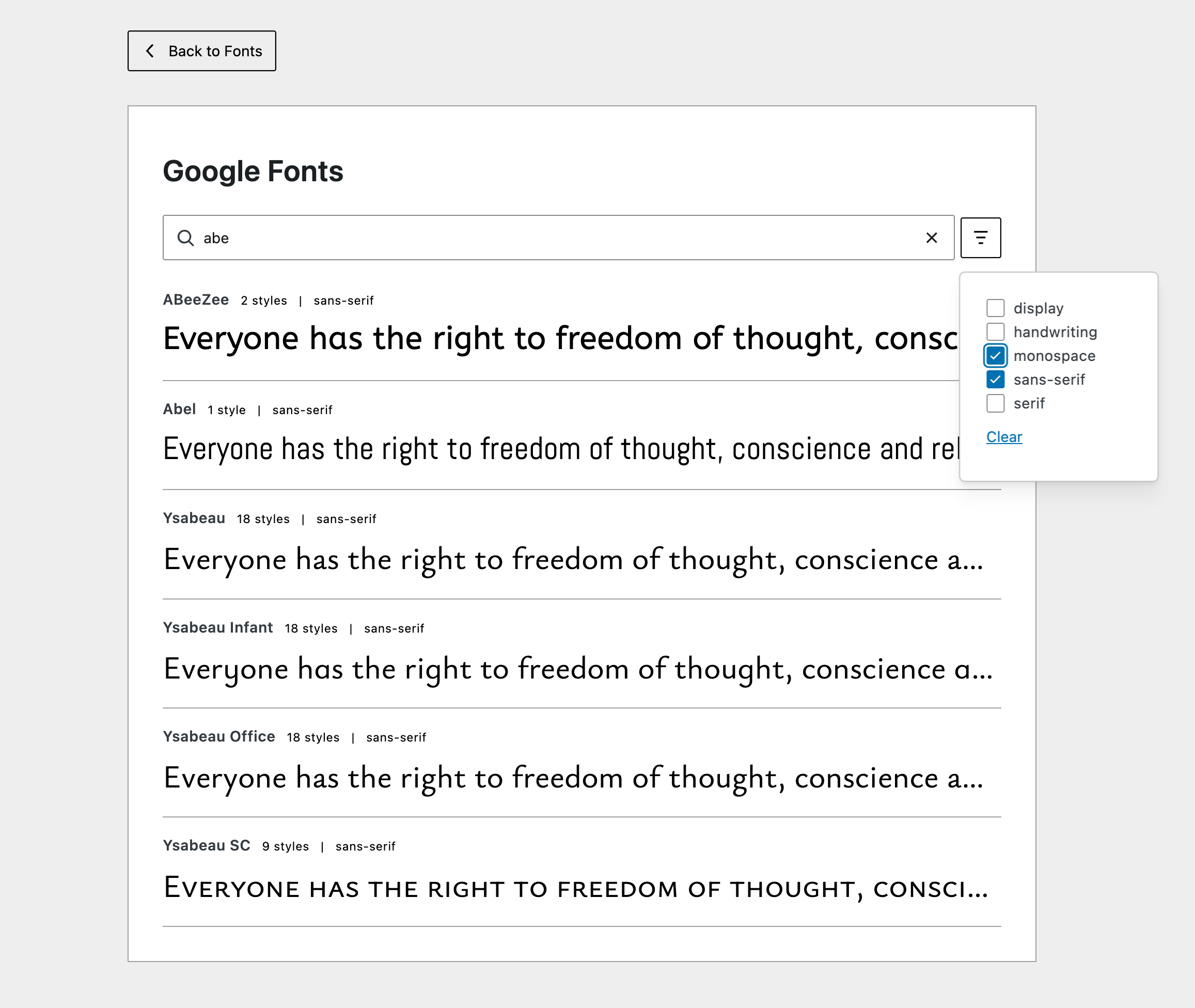
The Google Fonts tab provides filtering options to help you find the right font:
- Search — Type a font name to find it quickly
- Category filter — Filter by Serif, Sans-serif, Display, Handwriting, or Monospace
- Live preview — See each font rendered in the list before importing
Updating a Google Font
If you want to add more variants or subsets later, import the same font again with the new selections. Font Hero adds the new faces to the existing font family in your library.
Google Fonts and Privacy
Since Font Hero downloads fonts to your server, no requests are made to Google’s servers when visitors browse your site. This helps with:
- GDPR compliance — No visitor data is sent to Google
- Performance — Fonts load from your own server (or CDN), no extra DNS lookups
- Reliability — Your fonts work even if Google’s servers are slow or unreachable