
Font Hero lets you disable typography at two levels:
- Entire font family (everything under that font)
- Individual font faces (specific weights/styles, or managed subsets inside the family)
This is one of the most useful workflows for WordPress power users: you can import a full family for flexibility, then disable what you do not need right now without deleting anything.
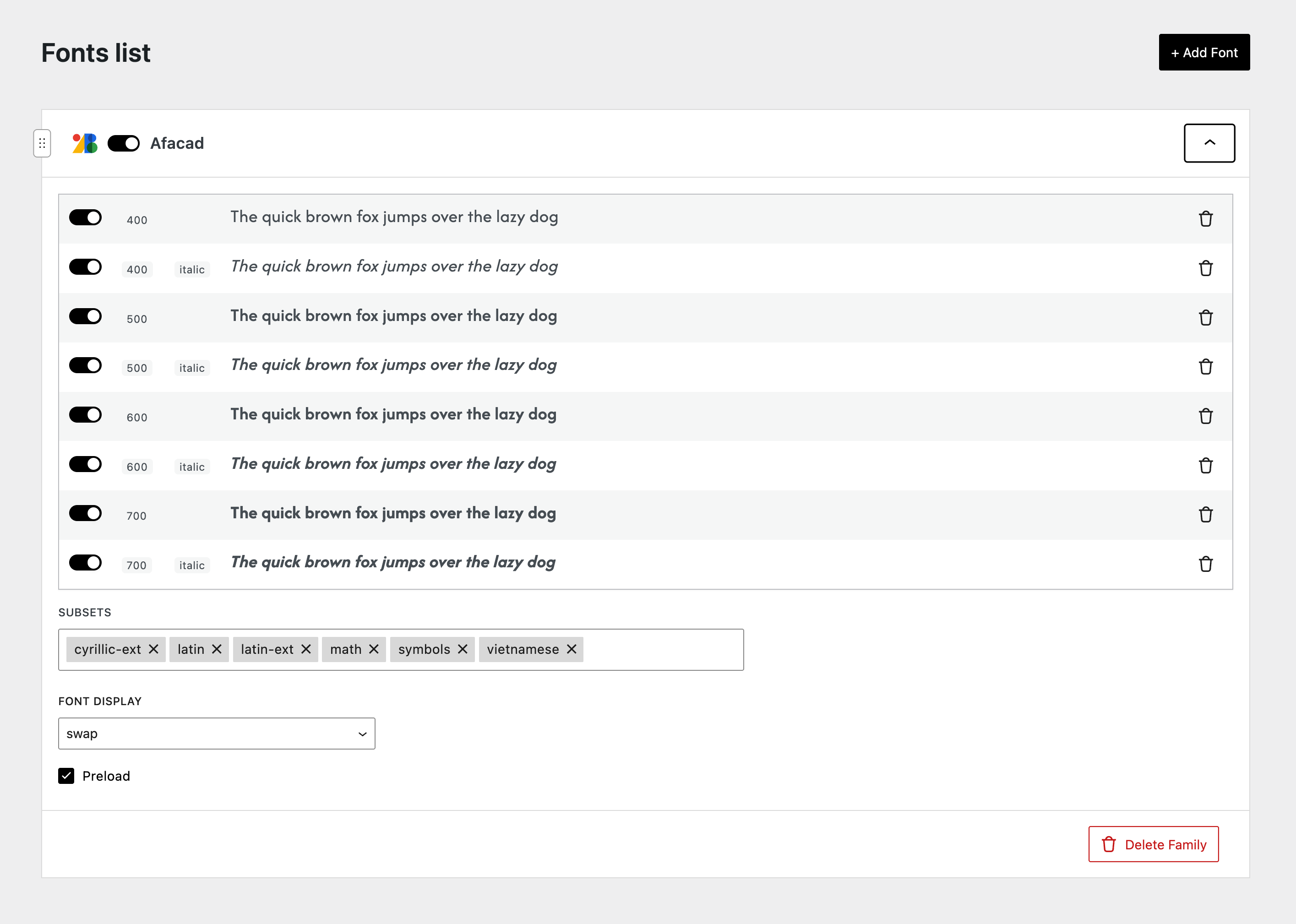
Disable Entire Font Family
Use this when you want to remove a font from the frontend completely, but keep it in your library for later.
Steps
- Go to Font Hero > Fonts
- Find the font family in your list
- Use the on/off toggle next to the font family name
When a font family is disabled:
- Font Hero keeps it in your library
- Its font faces remain intact
- It will not be loaded on the site until you enable it again
This is ideal for seasonal campaigns, redesign staging, or testing alternate type systems.
Disable Only Font Face Inside Font Family
Use this when you want to keep the font family active, but reduce unnecessary weights/styles.
Example: keep 400 and 700, disable 300, 500, and 800 until the design actually needs them.
Steps (Custom Fonts)
- Go to Font Hero > Fonts
- Expand the font family
- Find the specific face (weight/style)
- Use the toggle for that row
Steps (Google Fonts / Managed Imports)
For Google Fonts and some managed imports, Font Hero groups faces by weight/style (and subsets when available).
- Expand the font family
- Disable the weight/style you do not need
- If the font is subset-managed, remove/disable subsets you do not need
Font Hero updates the underlying font faces for you.
Why This Is a Good Workflow
When building a site, it is often smart to import the full font family first, then disable the faces you do not need immediately.
This gives you:
- Faster front-end loading (fewer enabled files to load)
- Cleaner typography decisions during production
- Easy re-activation later when the design changes
- A non-destructive workflow (nothing is deleted)
In short: you keep design flexibility without paying the full performance cost on every page load.
Practical Recommendation
For most sites, start with:
400(Regular)700(Bold)400 Italic(only if used)
Then add or re-enable additional faces only when a real page/component needs them.
Pair this with:
- Preload only 1–2 critical faces
- Font Display: swap for body and UI fonts
That combination gives you a strong performance baseline without limiting design freedom.
Important Note
Disabling is not the same as deleting.
- Disable = keep it in Font Hero, stop loading it
- Delete = remove it from your library (and local files for uploaded fonts)
If you are experimenting or redesigning, disable first. Delete later when you are sure.