
The License tab (Appearance → Fancoolo FX → License, administrators only) activates, checks and deactivates your dplugins.com license key.
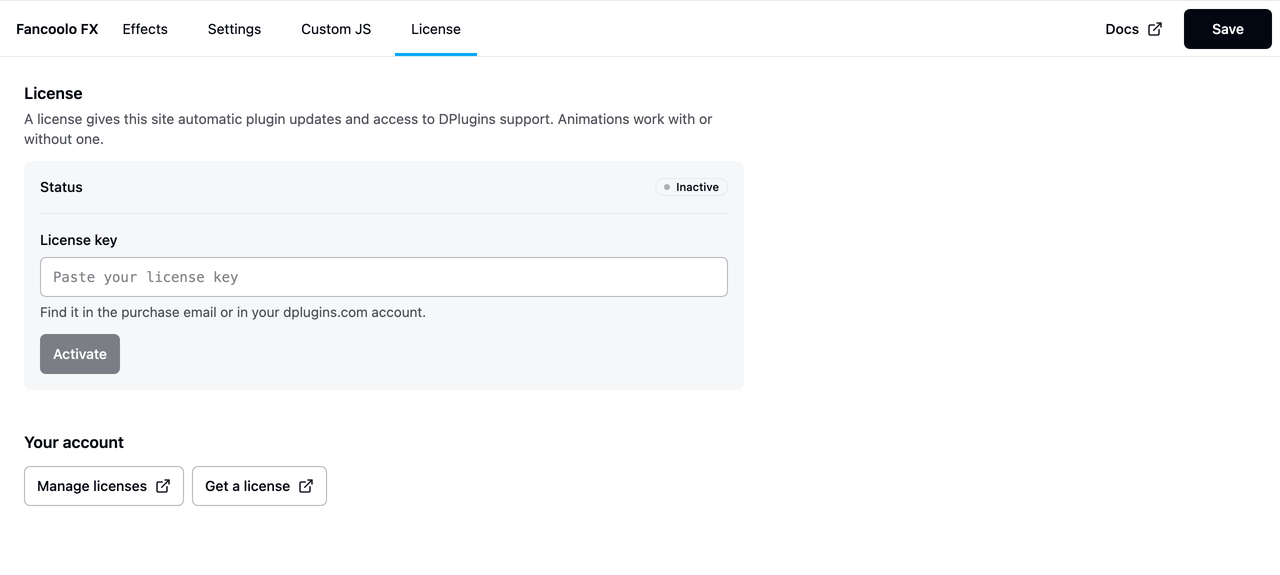
Without a license
Animations keep working with no license at all — every effect, trigger and modifier class works the same either way. A license only unlocks two things: automatic updates through the WordPress Plugins/Updates screens, and access to DPlugins support. Without one, the plugin still works, it just doesn't update itself and new versions have to be installed by hand.
Activating a key
- Buy a license at dplugins.com and copy the key from the purchase email or your account.
- Paste it into License key and click Activate.
- The Status badge changes to Active, with an expiry date if the key has one.
The key is only saved once the shop accepts it, so a typo never overwrites a working license — and the page only ever shows its first six characters, never the full key.
Statuses
| Status | Meaning |
|---|---|
| Inactive | No key saved on this site, or the key was deactivated. |
| Active | The key is valid and activated for this site. |
| Expired | The key was valid but has passed its expiry date — renew it to get updates again. |
| Invalid | The key doesn't match this product, or doesn't exist. |
| Disabled | The key was revoked — contact DPlugins support. |
| Site limit reached | The key already has an activation on its limit — deactivate it elsewhere or upgrade the license. |
If activation fails, the message explains why using the same reasons as the table above.
Checking and deactivating
The status re-checks itself once a day automatically, whenever the admin page loads. Check again re-checks it immediately — useful right after renewing.
Deactivate removes the key from this site and frees up its activation, so the same key can be used on another site. To switch a site to a different key, deactivate the current one first, then activate the new one.
License actions (Activate, Check again, Deactivate) apply immediately — they don't use the page's Save button.
Manage your licenses
Renewals, invoices and moving a key between sites all happen in your dplugins.com account: dplugins.com/checkout/purchase-history.