
The Custom JS tab (Appearance → Fancoolo FX → Custom JS) is a code editor for JavaScript that runs after fx.js on every front-end page — for calling FX functions directly or changing FX.config beyond what the Settings tab exposes.
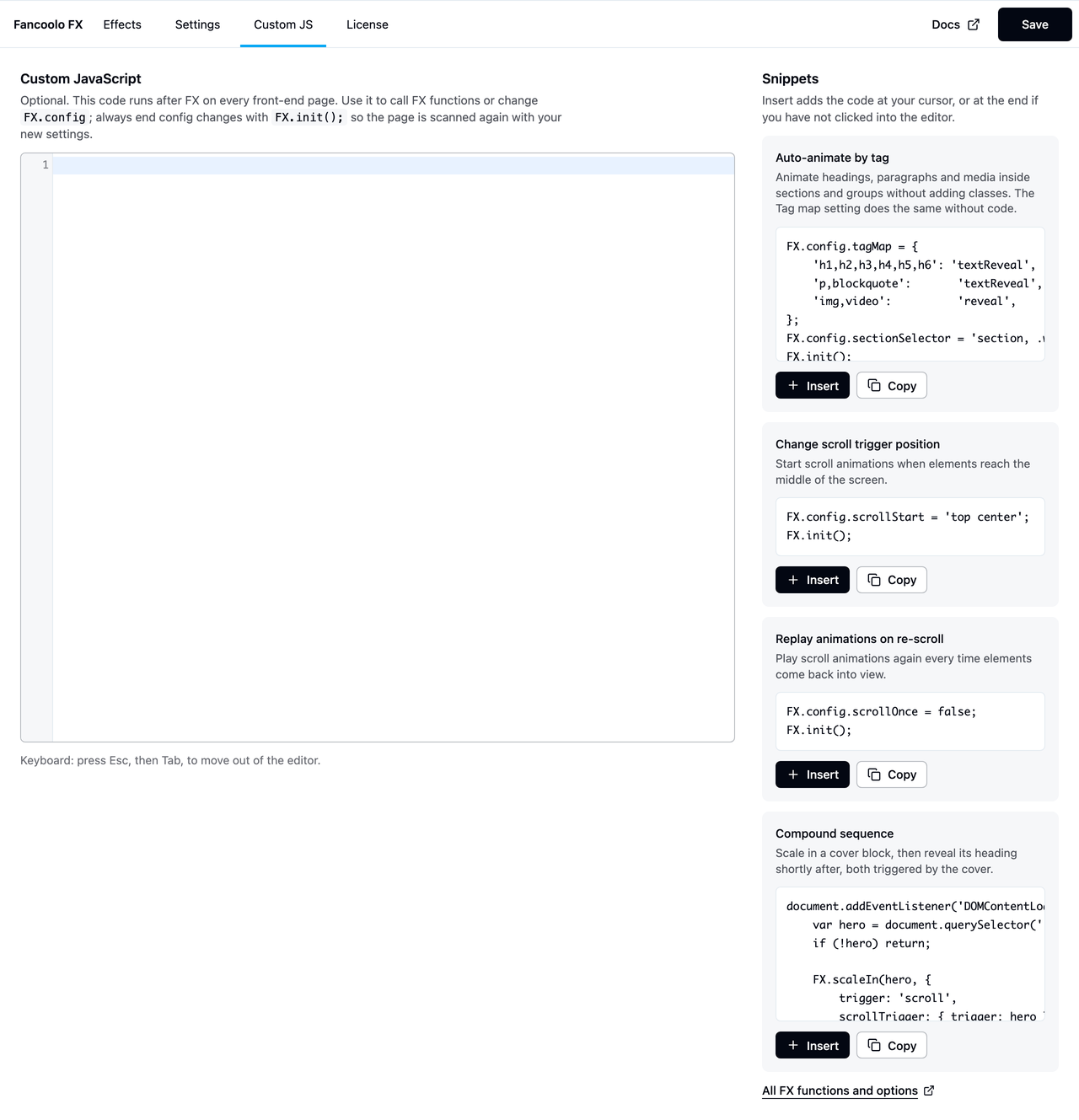
Editor
A CodeMirror editor on the left, with syntax highlighting when your browser supports it (press Esc then Tab to move focus out of the editor with your keyboard). Whatever you write here is saved to wp-content/uploads/fancoolo-fx/custom.js and enqueued right after fx.js.
Always end a config change with FX.init(); so FX re-scans the page with your new settings:
FX.config.scrollStart = 'top center';
FX.init();
Snippets
The panel on the right has ready-made snippets you can Insert at your cursor (or Copy to paste manually), including:
- Auto-animate by tag — sets up a
tagMapand section selector in code, equivalent to the Tag Map setting. - Change scroll trigger position — sets
scrollStartglobally. - Replay animations on re-scroll — sets
scrollOnce = false.
When to use this instead of the Settings tab
Most site-wide behavior is covered by toggles on the Settings tab. Reach for Custom JS when you need something the settings UI doesn't expose — calling FX.textReveal() directly on dynamically injected content, or combining config changes with your own logic. See the JavaScript API reference for what's callable.