The Users Manager feature in DevKit Pro provides an efficient way to manage user accounts on your WordPress site. By default, this feature is disabled. Turn on Users Manager under System → Features.
Key Features
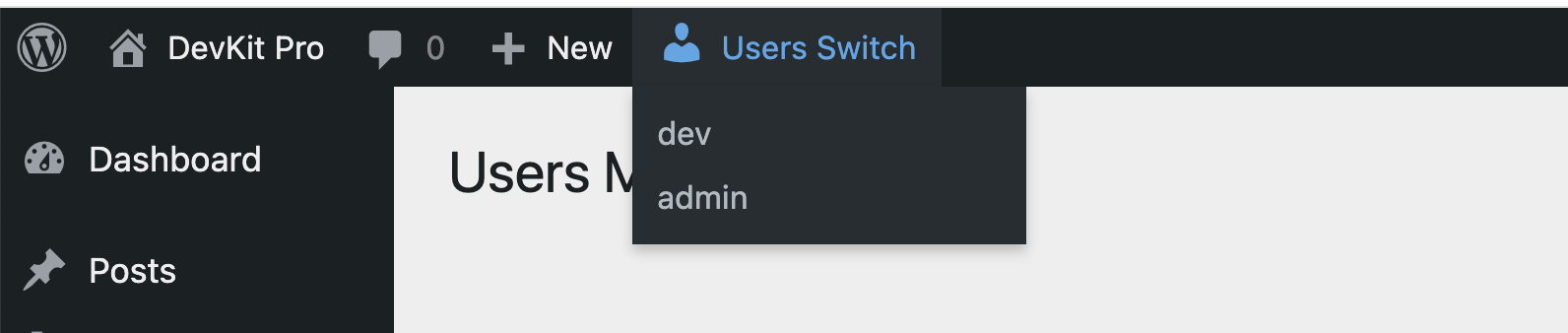
Quick User Switch: Once enabled, a quick switch option appears in the top bar, allowing you to easily switch between different user accounts for testing purposes.
Manage Multiple Users: View and manage all user accounts from a single interface. Enabled users will be displayed, and you can add or edit user information as needed.
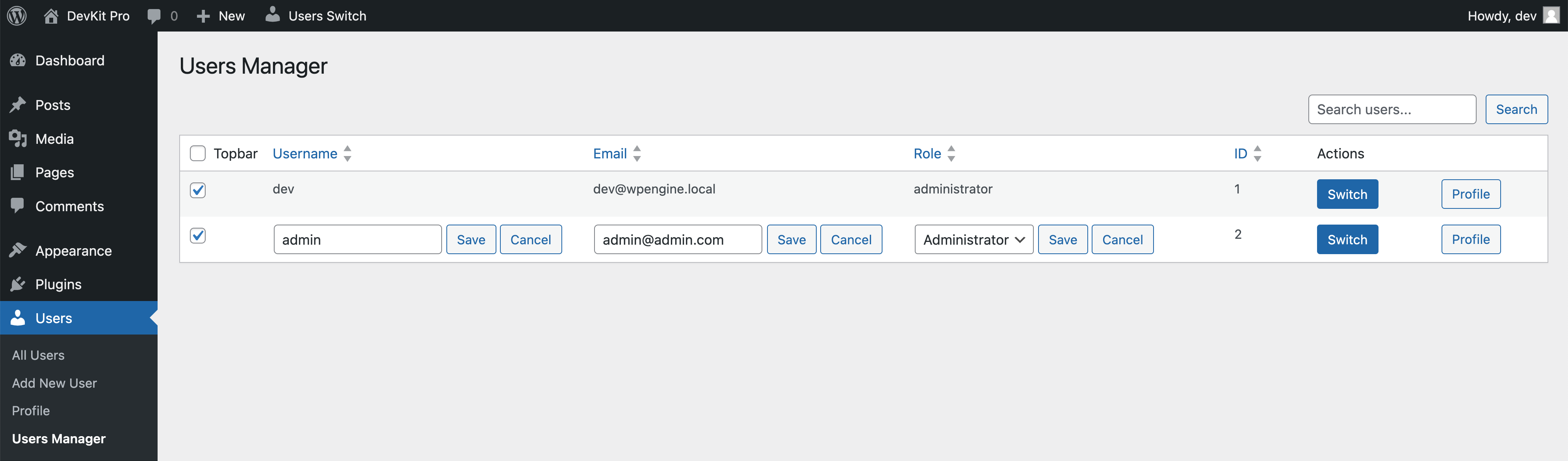
Edit users inline
Username, email and role can be changed straight from the table.
- Double-click the Username, Email or Roles value of a user, or focus it with the keyboard and press Enter.
- Change the value.
- Press Save or Enter. Cancel or Esc closes the field without saving.
A toast confirms the change ("Username changed.", "Email changed." or "Role changed."). If WordPress refuses the change, the reason is shown and the old value stays.
- The role is picked from a list of the roles you are allowed to assign.
- Your own role cannot be changed here.
- You can only edit users you are allowed to edit in WordPress itself.
Switch back to admin
Once you switch to another user, a floating button will appear in the bottom-right corner of the front end, allowing you to switch back to the original user.