
The Relationships tab draws every variable collection as a set of cards on a canvas, with a line for every reference between them.
Cards
A card is one group — the path a variable's name shares with its siblings. color/red/500 and color/red/700 both live on the card color/red.
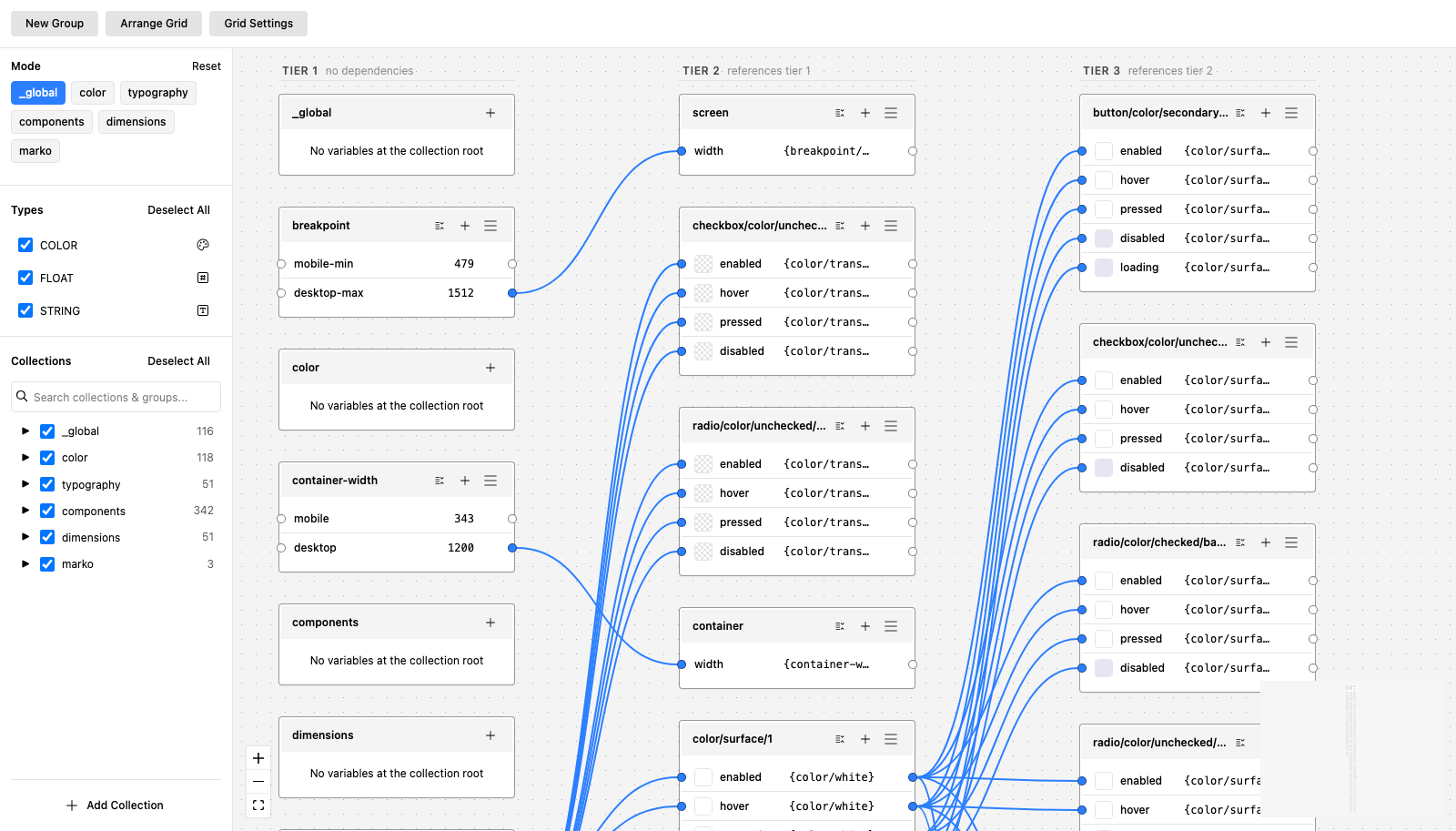
Each row is a variable: its swatch or value, its name, and what it resolves to. A row that references another variable shows the reference in braces, like {color/border/low}, and a line connects it to the card that owns it.
Every collection also has a root card, named after the collection. It holds that collection's variables with no / in their name, and its + is how you create a variable at the collection's root.
Tiers
Arrange Grid lays the cards out by dependency depth.
- Column 1 holds cards with no dependencies — your primitives, the raw values.
- Column 2 holds cards that reference column 1.
- Column 3 references column 2, and so on.
One column is one tier. A caption above each column says so. If your semantic tokens are sitting in the same column as your primitives, they are not actually referencing them — the layout is showing you something true about the file.
Depth is computed over every connection, including cards hidden by your filters, so hiding a collection never changes which tier a token belongs to.
Grouping
Group with siblings (the icon on a card header) wraps a card and its siblings into their shared parent. color/red and color/blue become a color container.
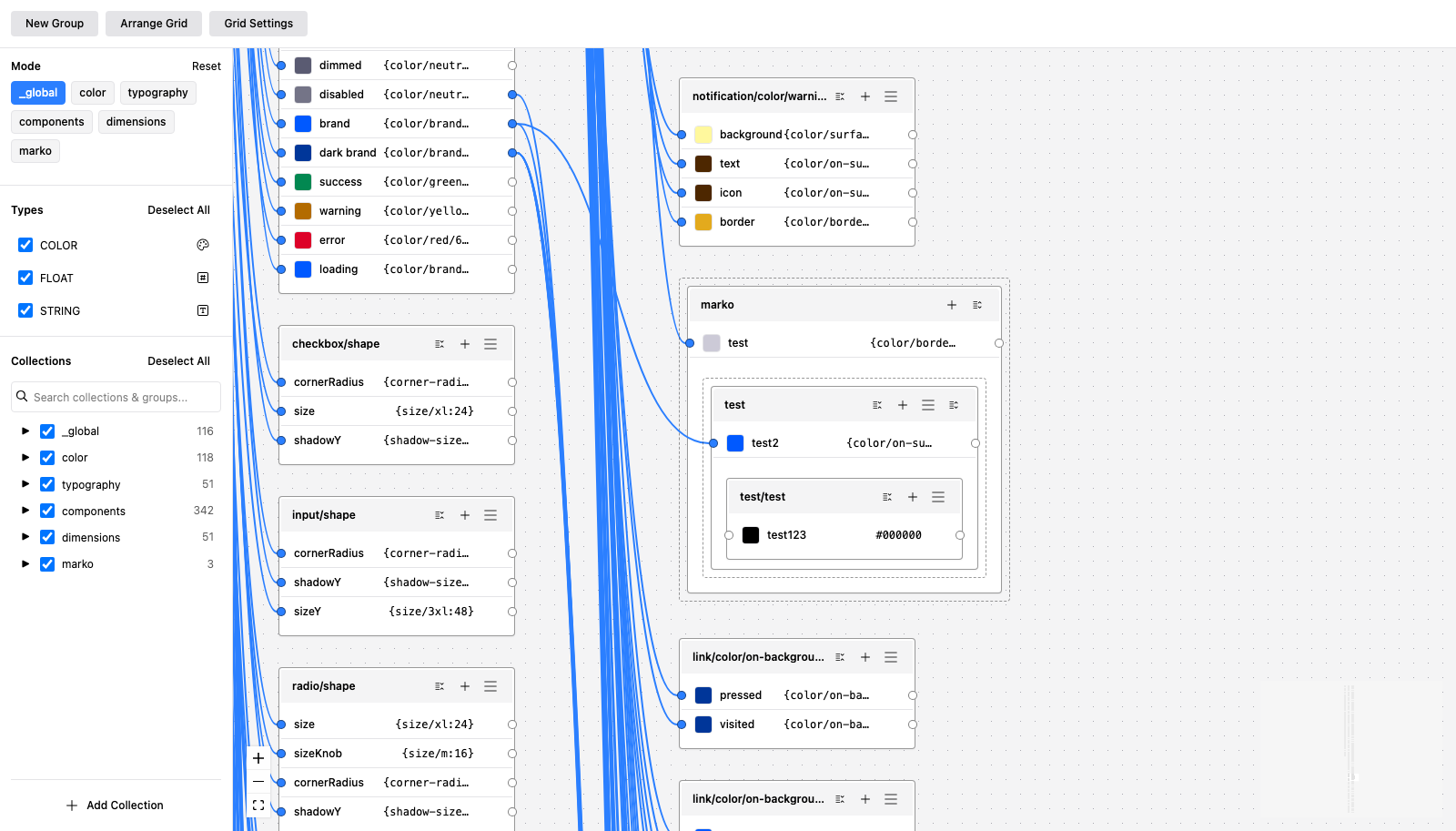
A container is a card with a dashed outline. It has its own header, its own rows, and its children nested inside it. Level up again and you reach the collection itself, which is the outermost container — nothing sits above it.
Ungroup takes the frame apart again. Grouping is a view of the canvas; it never changes a variable's name.
Filtering
The sidebar filters what the canvas draws, by collection, by group and by variable type. Filtered cards disappear from the canvas but keep their positions, so turning a collection back on puts it back where it was.
Finding things
Press ⌘K (Ctrl+K on Windows and Linux) for quick search. Type a collection, a group or a variable name, use the arrow keys, and press Enter to move the viewport to it. A variable result also highlights that row in its card.
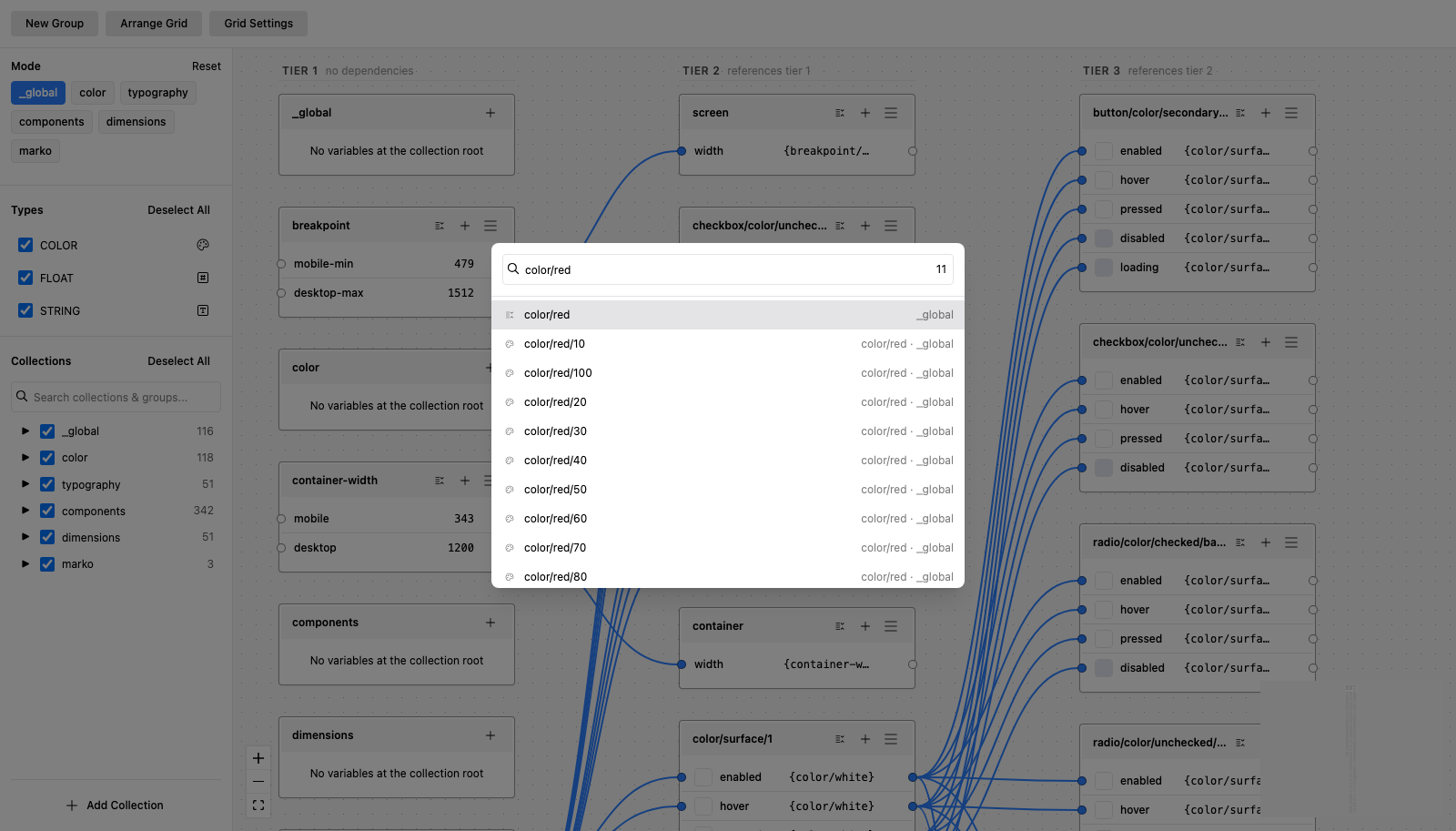
Results are labelled by what they are, because a variable, a group and a collection can all share a name. If a match is filtered off the canvas, the palette says how many are hidden rather than pretending they do not exist.
Layout
Card positions are saved per file, so the layout you arrange is the layout you come back to. Undo Arrange restores the previous positions after an Arrange.
Grid Settings sets the horizontal and vertical gaps between cards.