
Winden Tokens
Manage Figma variables as a design system — see how every token references another, group them by collection, and edit them from a full-size browser window.
Winden Tokens is a Figma plugin for working with variables as a design system rather than as a flat list.
Figma shows variables in a table. That table tells you a token's value, but not what it depends on, what depends on it, or whether your semantic layer actually sits on top of your primitives. Winden Tokens answers those questions on a canvas.
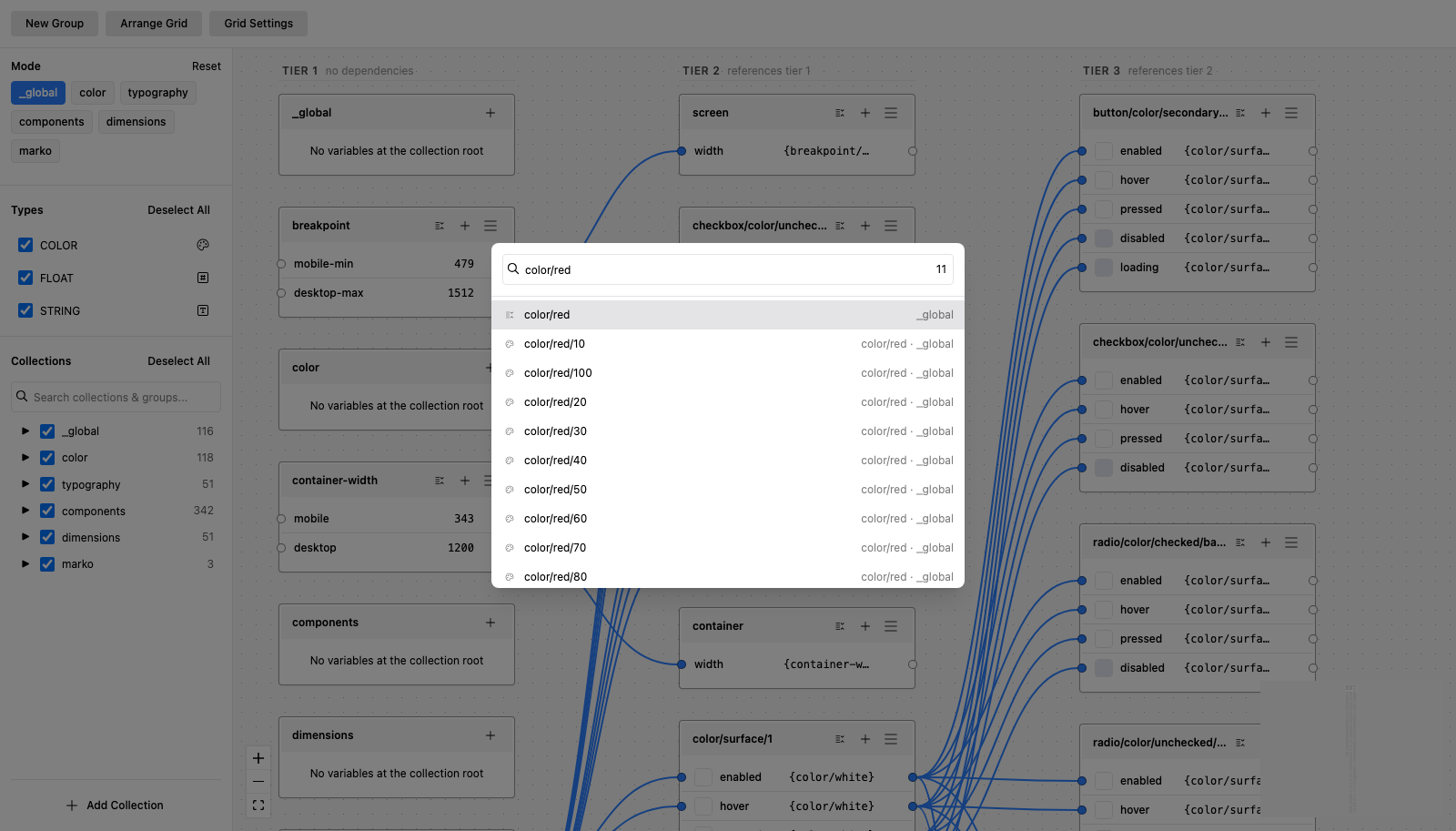
What you can do with Winden Tokens
- Edit like a spreadsheet. Every variable in one table, filtered by collection, group, type and mode, with inline editing and a whole group editable as plain text.
- Generate shades and scales. Build a colour ramp from one base colour and three curves, or a number scale from a base value and a ratio — and keep them tied to their source, so changing the source regenerates them.
- Check contrast. Any colour against any other, with AA and AAA results.
- See the reference graph. Every variable that references another is drawn as a connection, so a change's blast radius is visible before you make it.
- Read the tiers. Arrange lays cards out by dependency depth: primitives with no references on the left, the tokens that consume them one column to the right, and so on. A column is a tier.
- Group by collection. Cards nest into their collection, so a collection reads as one object on the canvas instead of scattered cards sharing a name.
- Jump to anything. Press ⌘K (Ctrl+K) and type a collection, a group or a variable name to move the viewport straight to it.
- Work full-size in a browser. A plugin panel is small. Winden Tokens can serve the same interface to a browser tab on your own machine, driving the Figma file you have open.
Pick a topic from the sidebar. Getting started covers installation, Relationships covers the graph itself, and Browser view covers running it full-size.